Ticket Reservations: step-by-step
Our ticket reservation system is called “Eventive.” Here is a step-by-step guide for how to make ticket reservations for each film, Forum, or other event you’d like to attend.
Step 1
Double-check… Are you logged in to Eventive?
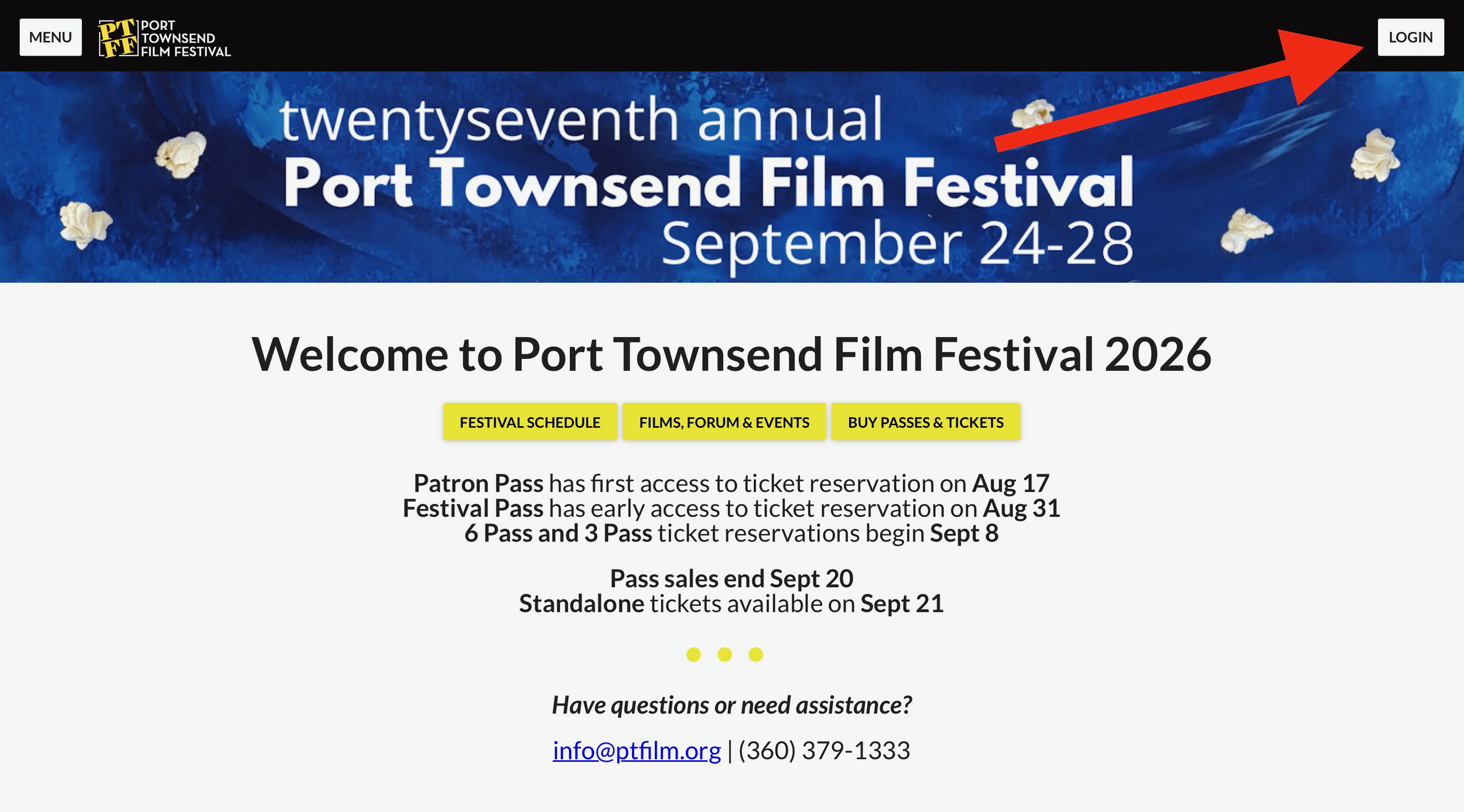
Seeing “LOGIN” means you still need to login.

Seeing these five icons on the upper right of the page means you’re logged in.

Step 2
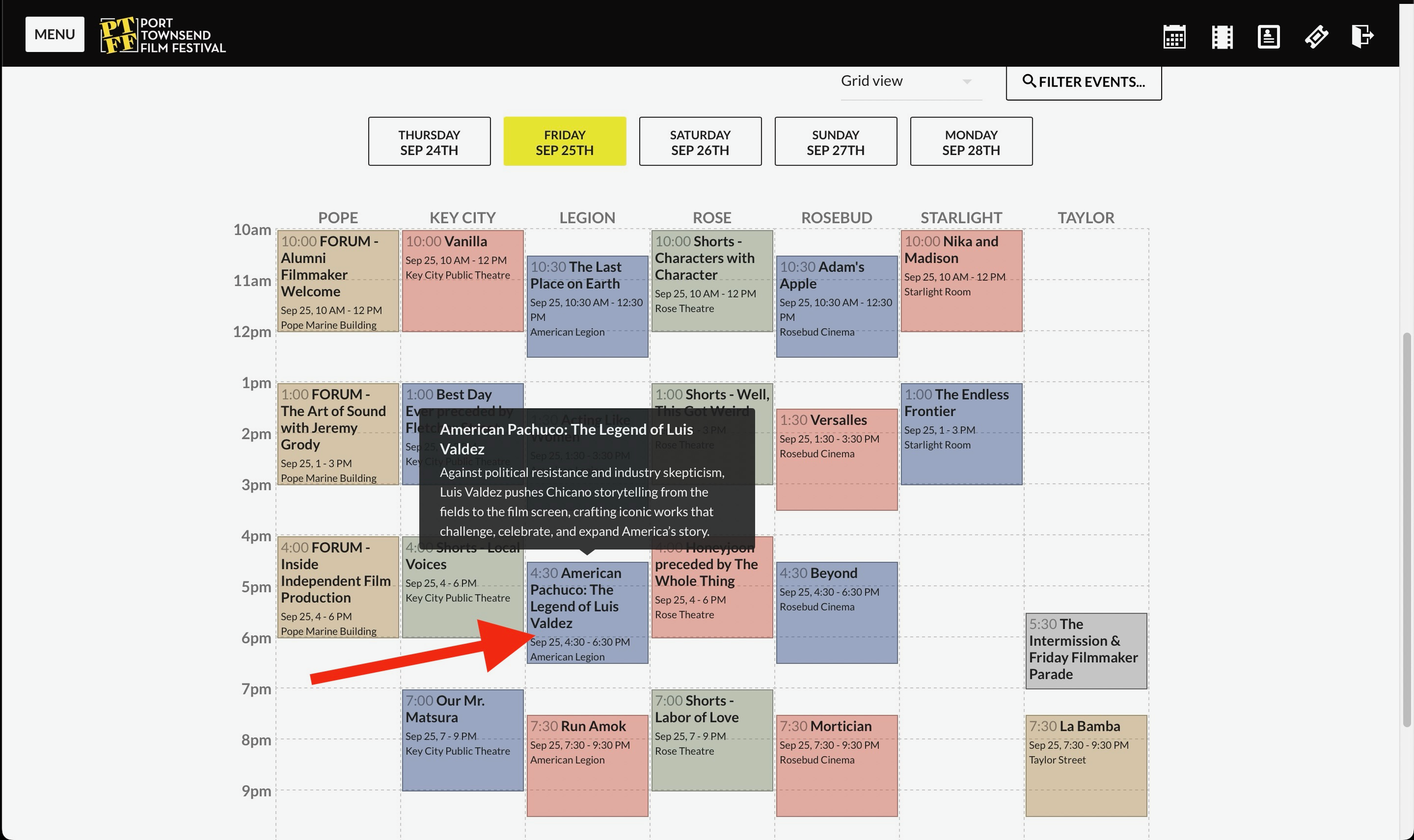
Find and CLICK on an Event you want to attend from the Festival Schedule.
Step 3
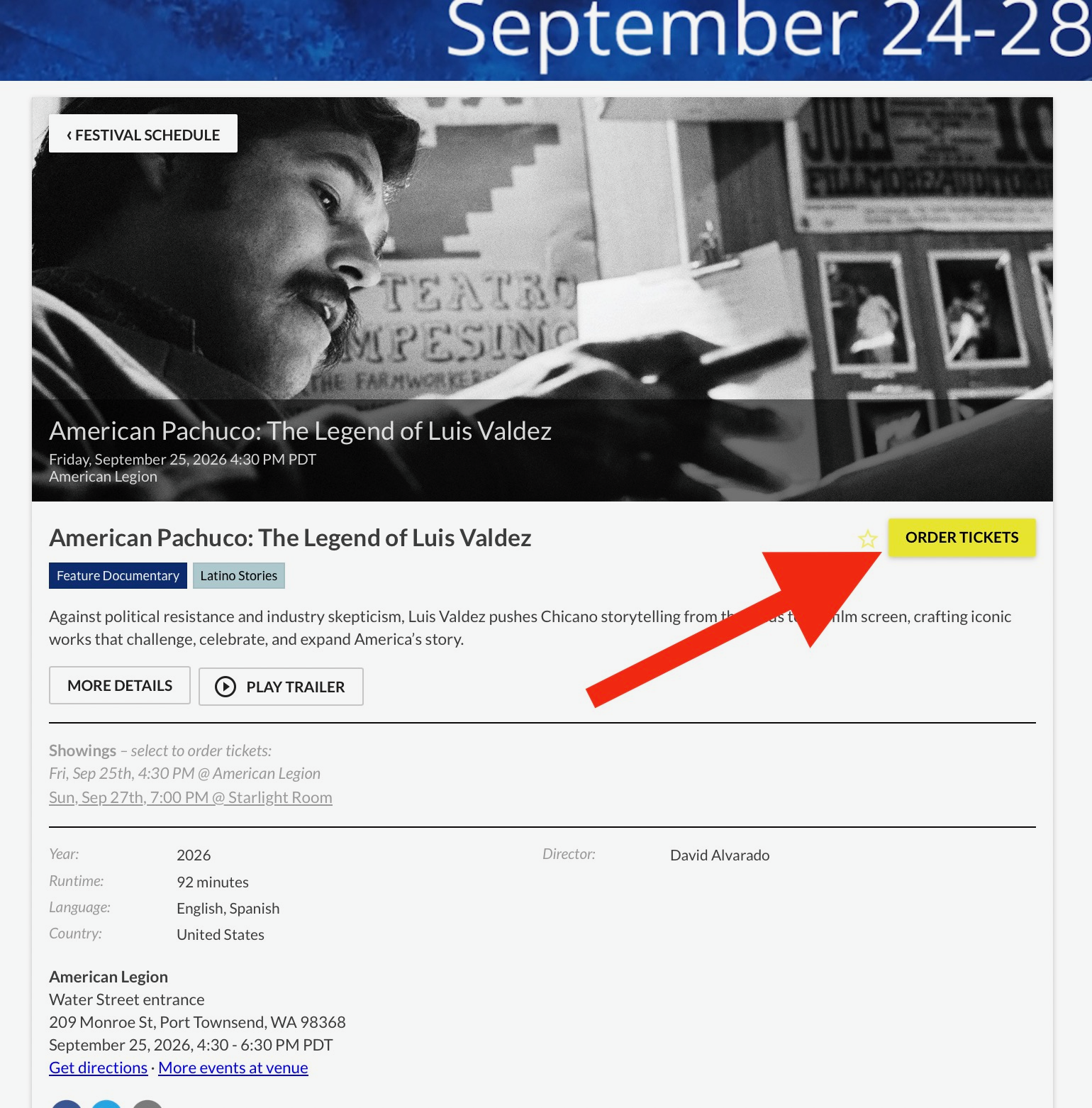
On the specific Event page,
click the “ORDER TICKETS” button.
Step 3b
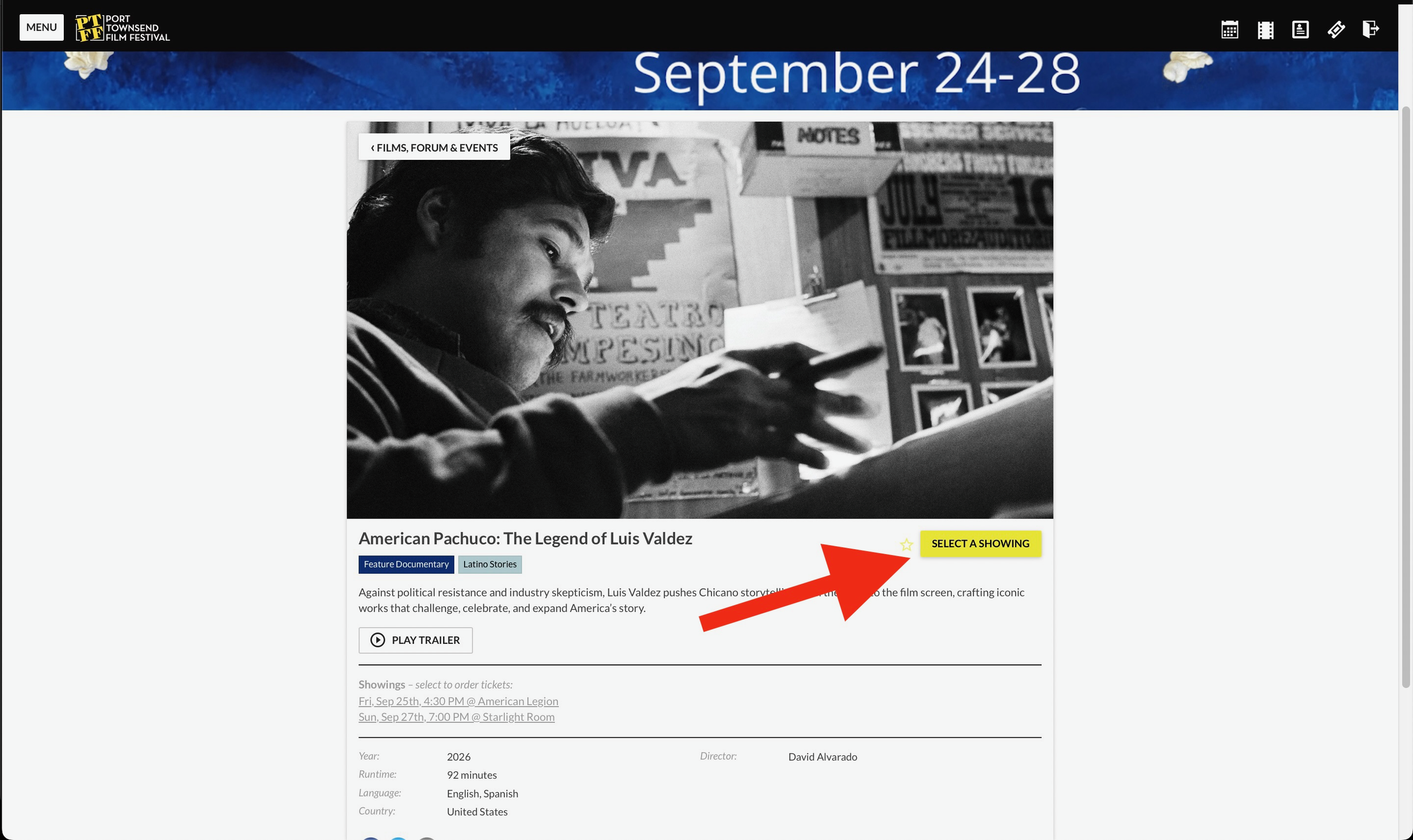
(Films, Forum, Events variation)
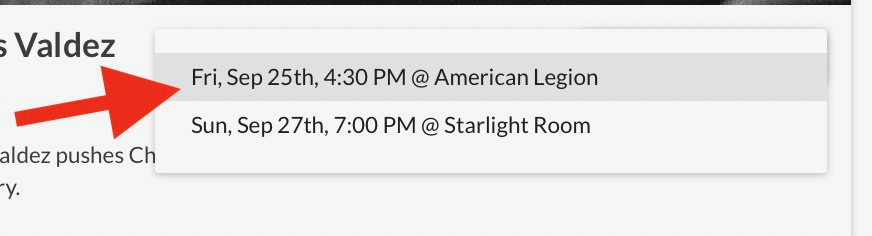
If using the Films, Forum, Events Guide (rather than Film Schedule), when you click on the event you want to attend, you will see two gray bars. Click the specific screening (day/date/time) that you prefer.
Step 4
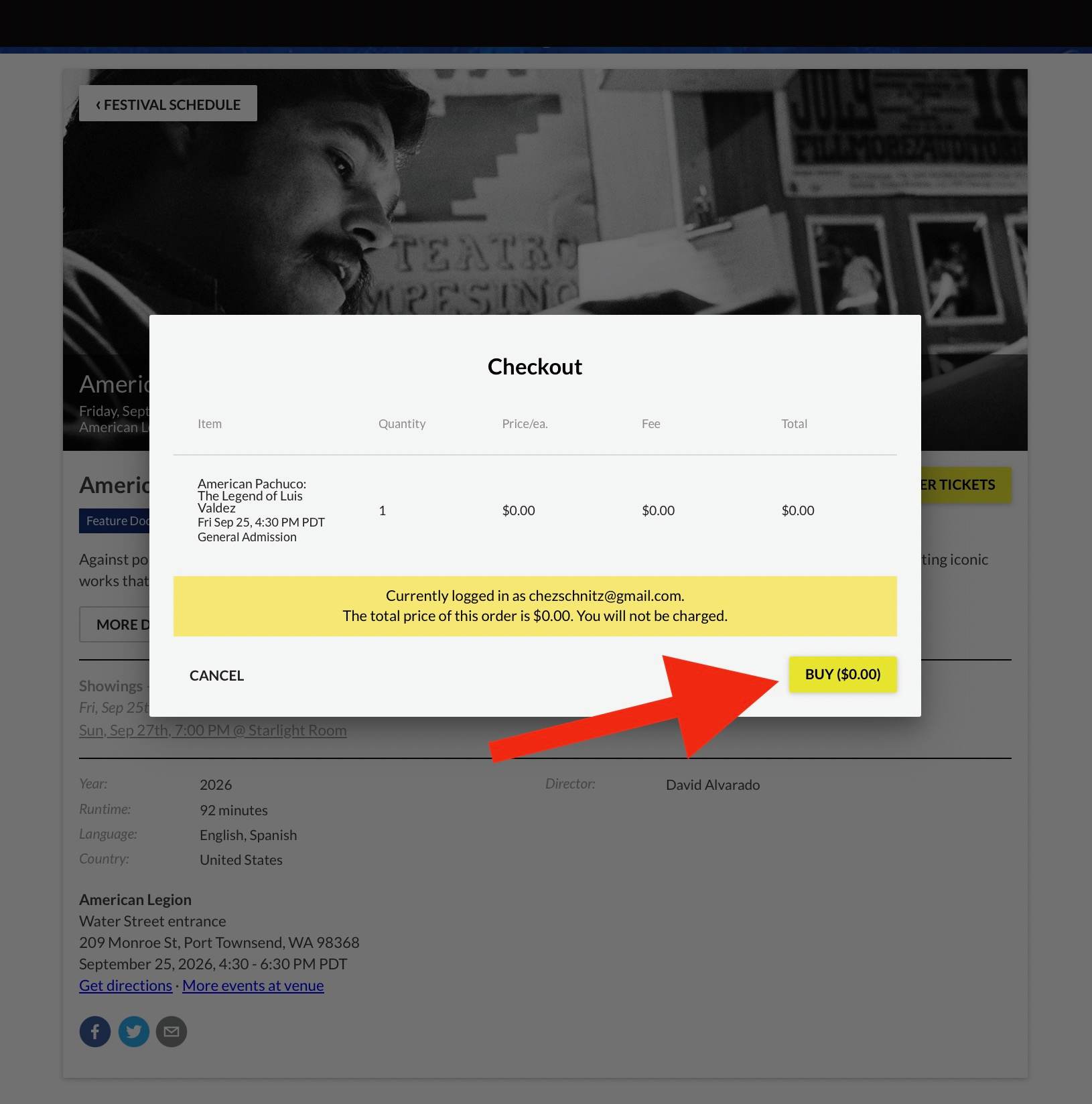
A Checkout window will appear.
For Pass holders, the ticket reservation is free.
Click on the “BUY” button to continue.
Step 5
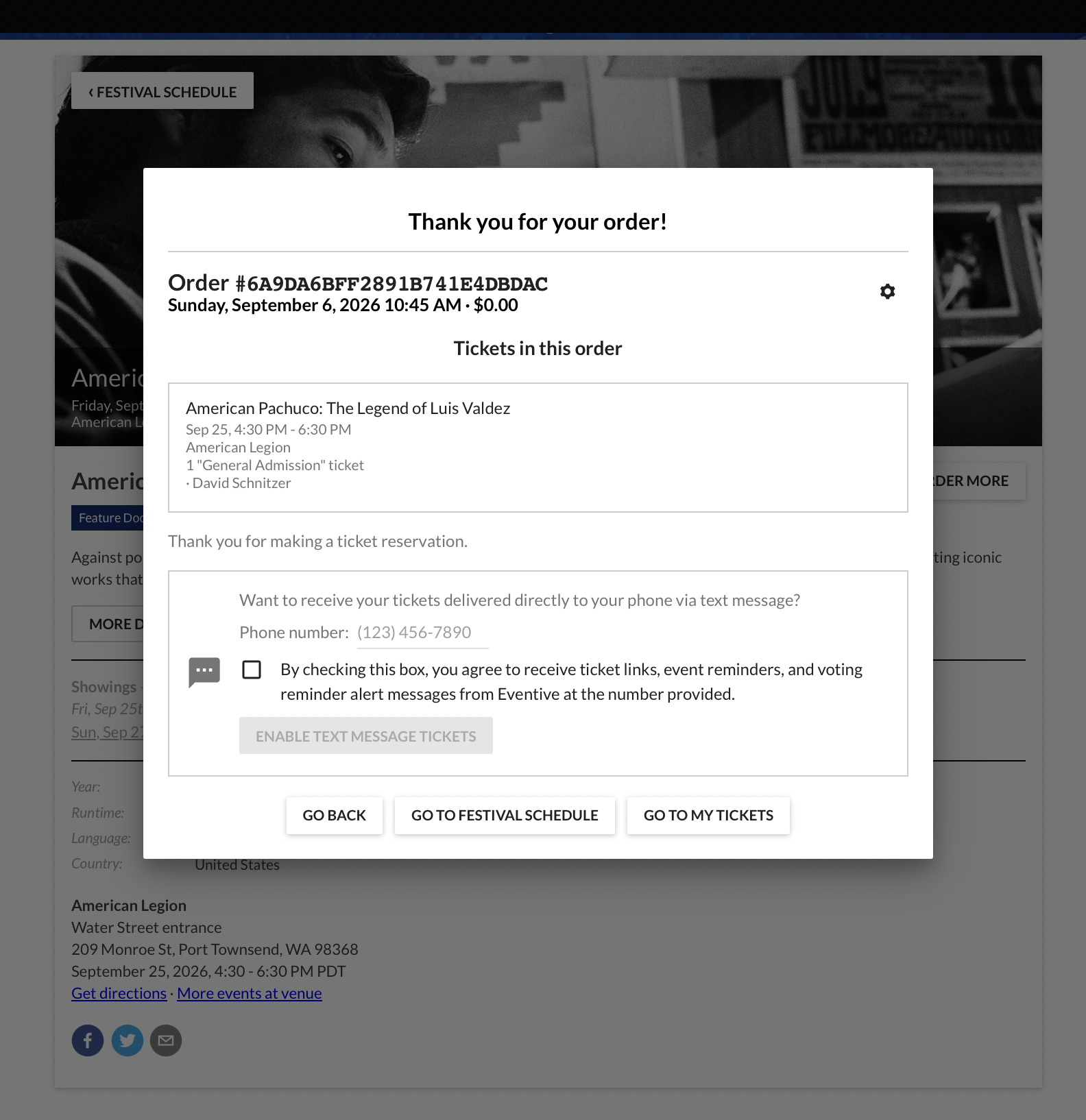
Hooray! Your ticket reservation is confirmed.
To continue making ticket reservations, click “GO TO FESTIVAL SCHEDULE.”
To review your list of reservations, click “GO TO MY TICKETS.”
Change a Ticket Reservation
Need to change a ticket? No problem.
Here we go…
Go to “My Tickets”.
Select the Screening or Forum event you wish to cancel.
Click “Manage”.
Click “Cancel”.
Go to “My Passes” to add another ticket reservation to your Pass.
Need further assistance?
Visit the Box Office in-person: 211 Taylor Street, Suite 401A, Port Townsend, WA
Or call 360-379-1333
HOURS: THURS & FRI, 11-3PM
Visit the Box Office & Hospitality,
Coldwell Banker Best Homes
234 Taylor Street
Thu, 12-8:30 PM
Fri, Sat, Sun 9AM-8PM
Thank You to our 2026 Sponsors!